Trezor Safe 3 Review: Best Budget Hardware Wallet
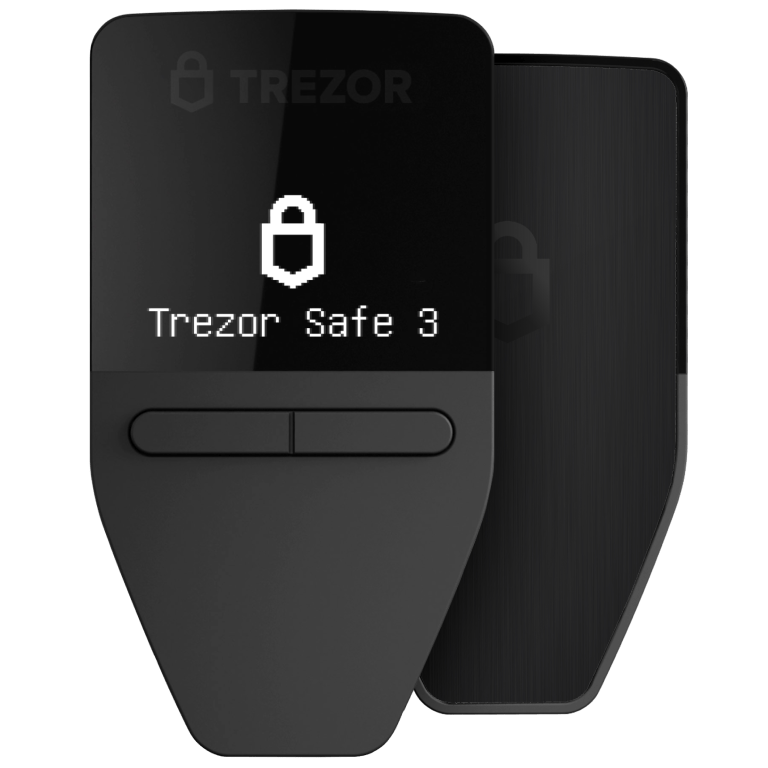
The Trezor Safe 3 is the best hardware wallet you can buy under $100. It packs the same EAL6+ secure element and open-source transparency as its pricier siblings into a pocket-friendly form factor. If you can live without a touchscreen, this is the smartest entry point into Bitcoin self-custody.
Design and Build Quality
The Trezor Safe 3 is remarkably compact — smaller than most USB drives and light enough to forget it is in your pocket. The rounded plastic shell is available in multiple colors and feels sturdy despite its low weight of just 13 grams. A single tactile button on the front face handles all navigation, while a USB-C port on the bottom provides both power and data.
The 0.96-inch monochrome OLED is tiny but readable. It shows transaction details, PIN prompts, and recovery word confirmation clearly enough, though you will be doing a lot of scrolling. Compared to the touchscreen on the Safe 5, the interface here is undeniably more tedious — but for a device you interact with only when signing transactions, it gets the job done without complaint.
Security Architecture
Under the hood, the Safe 3 shares the same security foundation as the rest of the current Trezor lineup. It features an EAL6+ certified secure element that stores your private keys in tamper-resistant silicon, and the entire firmware stack is open source and independently auditable. This combination is rare at any price point, let alone under $80.
PIN protection with exponential backoff, optional BIP-39 passphrase support, and wipe-after-failed-attempts functionality round out the defensive layers. The one notable omission compared to the Safe 5 is the lack of Shamir backup (SLIP-39). You are limited to standard 12, 20, or 24-word seed phrases, which is perfectly adequate for most users but worth noting if you want advanced recovery schemes.
Software and User Experience
The Safe 3 works seamlessly with Trezor Suite on desktop and web, giving you access to portfolio tracking, built-in exchange, coin control, and Tor integration. Setup takes around five minutes: plug in, follow the prompts, write down your seed phrase, and you are ready to receive Bitcoin.
Day-to-day usage involves confirming transactions on the device by pressing the single button — straightforward but slower than tapping a touchscreen. Entering your PIN requires cycling through digits one by one, which can be mildly frustrating. That said, Trezor Suite handles the heavy lifting on the software side, and the overall experience remains smooth for the price.
Value Proposition and Who Should Buy
At $79, the Trezor Safe 3 undercuts nearly every serious hardware wallet on the market while still delivering flagship-level security. It is the obvious choice for beginners taking their first step into self-custody, for users who want a dedicated backup device, or for anyone who prioritizes open-source transparency on a budget.
The trade-offs — no touchscreen, no Shamir backup, no Bluetooth — are entirely reasonable at this price. If those features matter to you, the Trezor Safe 5 at $169 is the natural upgrade. But if your primary goal is to move your Bitcoin off an exchange and into cold storage without breaking the bank, the Safe 3 delivers everything you actually need and nothing you do not.
For
- ✓Extremely affordable at just $79
- ✓Fully open-source firmware and hardware
- ✓EAL6+ certified secure element
- ✓Compact and highly portable design
- ✓Full Trezor Suite software support
Against
- ✗No touchscreen — single button navigation only
- ✗No Bluetooth or wireless connectivity
- ✗Basic monochrome OLED display
- ✗No Shamir backup support (standard seed only)
Affiliate links · price unchanged for you
Claude
AI crypto agent — searches across the entire internet to analyze specifications, security data, and user feedback, delivering research results based on facts and data.